ROAR is pure MADNESS (+free preset)
Credit: @Audioreakt
Demo
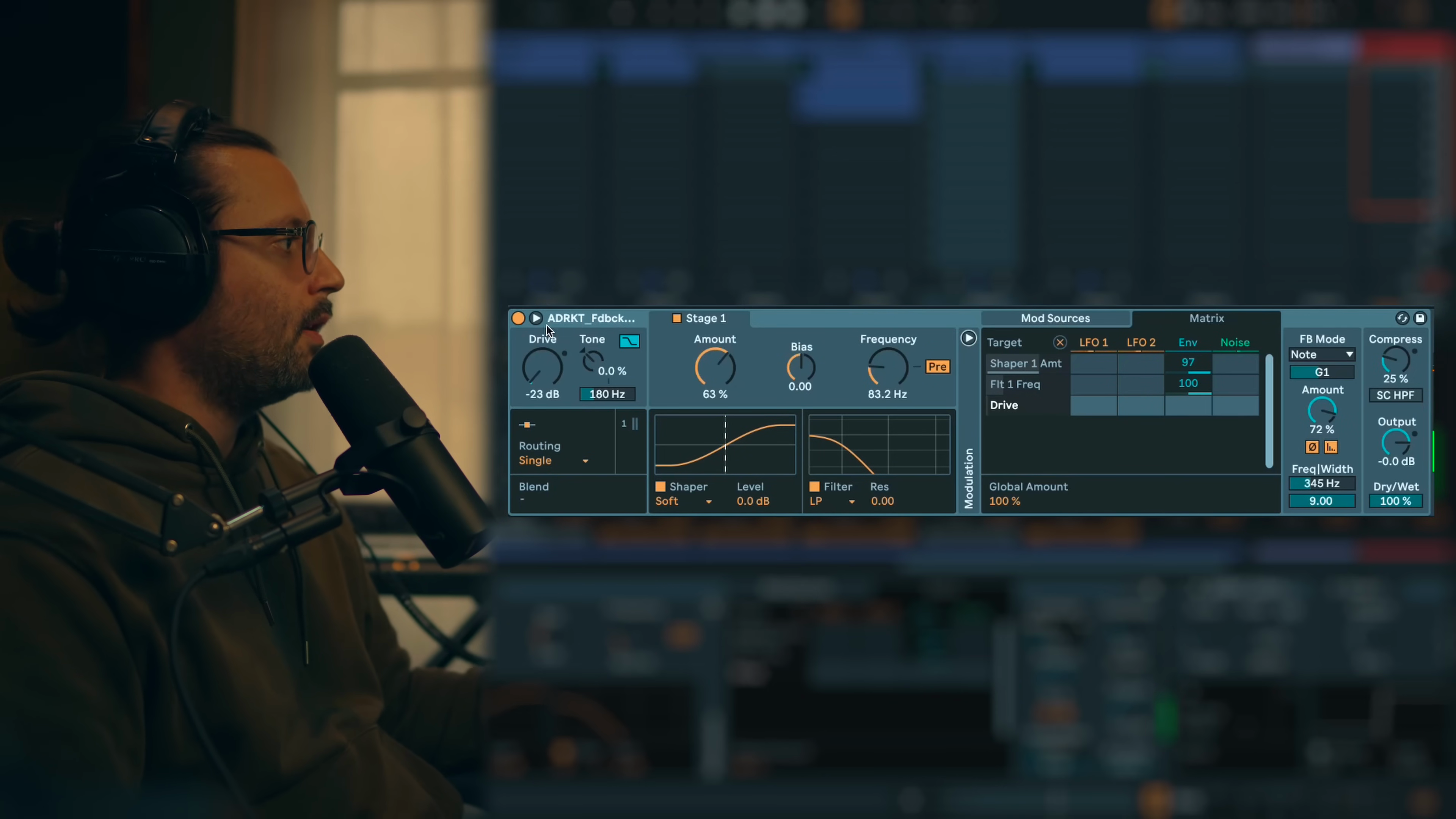
Key idea:Complex demonstration of ROAR's capabilities using multiple stages, filters, feedback and modulation to create evolving industrial textures.Process / settings:This opening demo showcases advanced routing configurations with serial and parallel processing, aggressive distortion shapers, resonant filters with LFO modulation, feedback delays synced to tempo.Result:Demonstrates ROAR's potential for creating complex, evolving, heavily distorted sounds that go far beyond simple saturation.Notes:Free presets available in video description. This complexity is not always necessary for typical use cases.
00:00 → 01:58
Intro
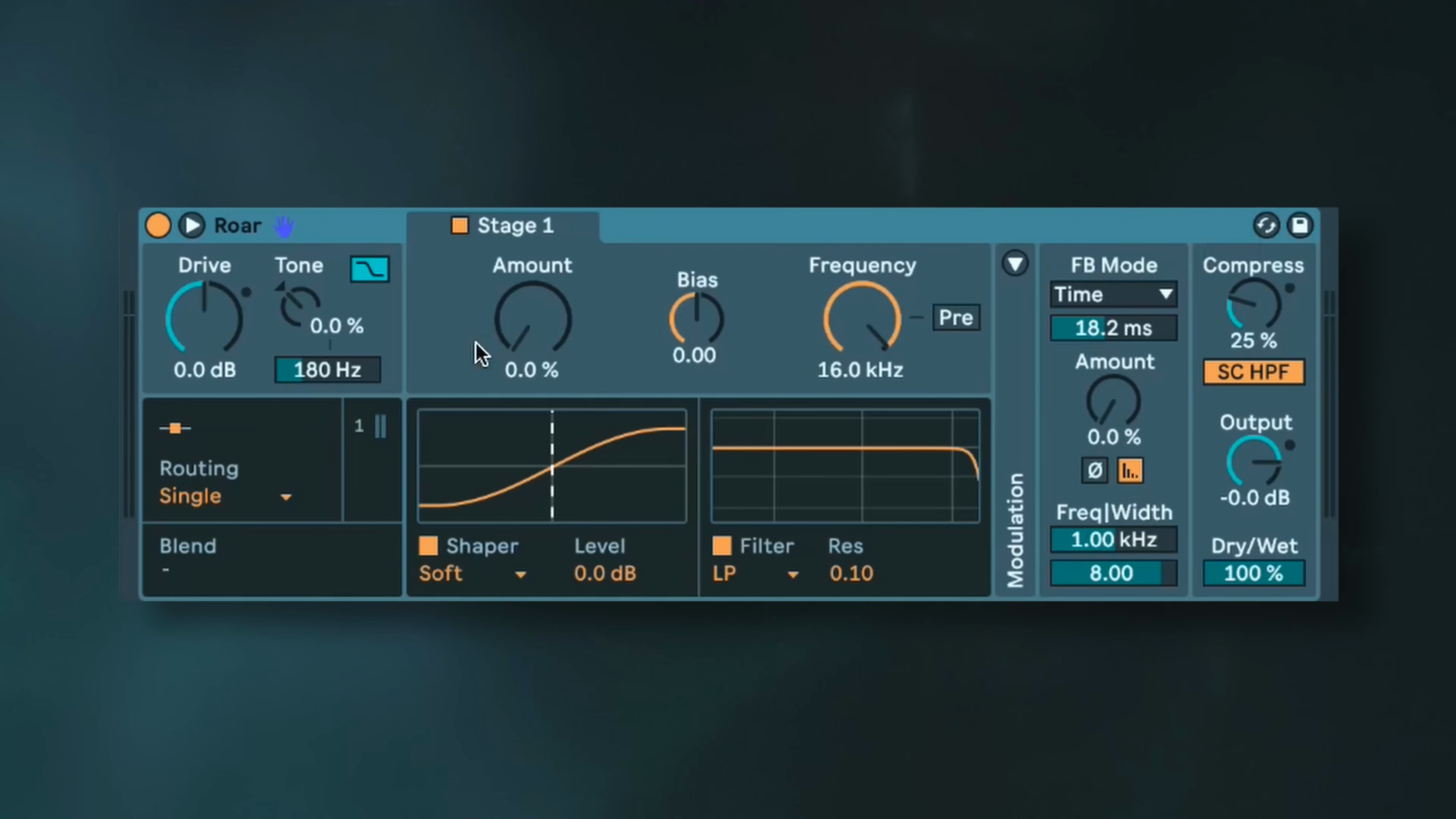
Key idea:ROAR can feel intimidating with its extensive possibilities, but understanding the device makes it much easier to use effectively.Process / settings:The video will first provide an overview of the device sections, explain the workflow and interpretation approach, then demonstrate practical techno examples with kicks, percussion, and synths.Result:A structured learning path from understanding the device to implementing it in productions.Notes:Most use cases are simpler than the opening demo. The device works best when you understand its core components rather than cranking all parameters.
01:58 → 02:40
Roar Overview
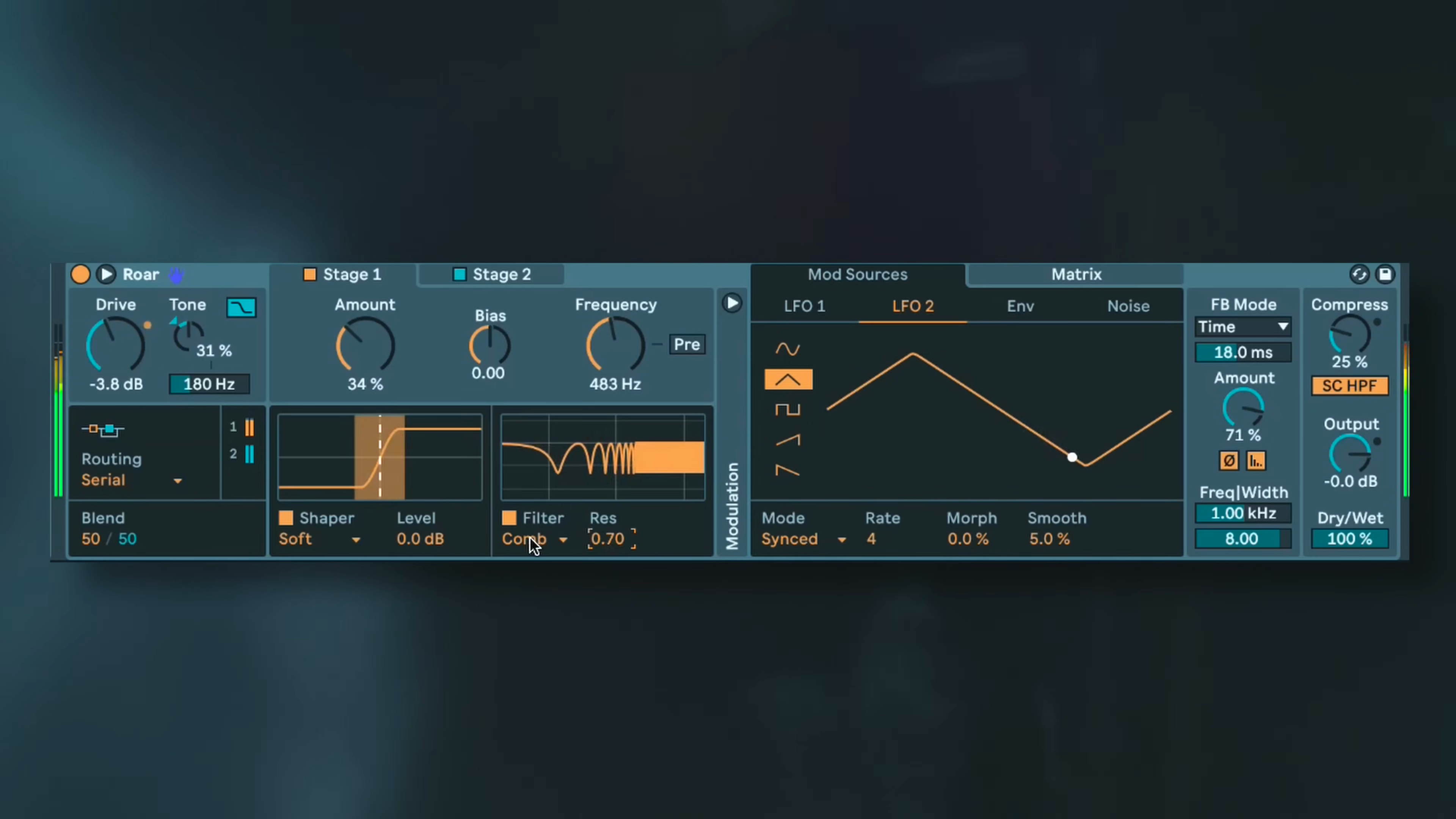
Key idea:ROAR is more of a multi-effect device than just distortion, combining distortion, filters, feedback delay, compression, and modulation.Process / settings:The device includes multiple sections: input gain with tilt EQ, routing modes for signal flow, wave shapers for distortion character, filters for tone shaping, feedback section for delay/metallic effects, output with compression, and modulation tab with LFO, envelope follower, and noise sources.Result:A comprehensive understanding that ROAR combines saturation, filtering, feedback/delay, compression and modulation in one device.Notes:Thinking of ROAR as a multi-effect helps navigate its features more effectively.
02:40 → 02:56

Input
Key idea:The input section is often overlooked but crucial because distortion reacts very differently to different frequency content and levels.Process / settings:Drivecontrols input gain.Toneis a tilt EQ where increasing boosts highs and lowers lows, decreasing does the opposite.Shelfdefines the low shelf frequency around185 Hz.Colorapplies the mirror version of the tilt EQ at the output for compensation.Result:Proper input staging and tone shaping dramatically affects the character of the distortion that follows.Notes:Experiment with tone and drive before adjusting distortion amount. Small changes here have significant impact on the final sound.
02:56 → 03:48
Routing
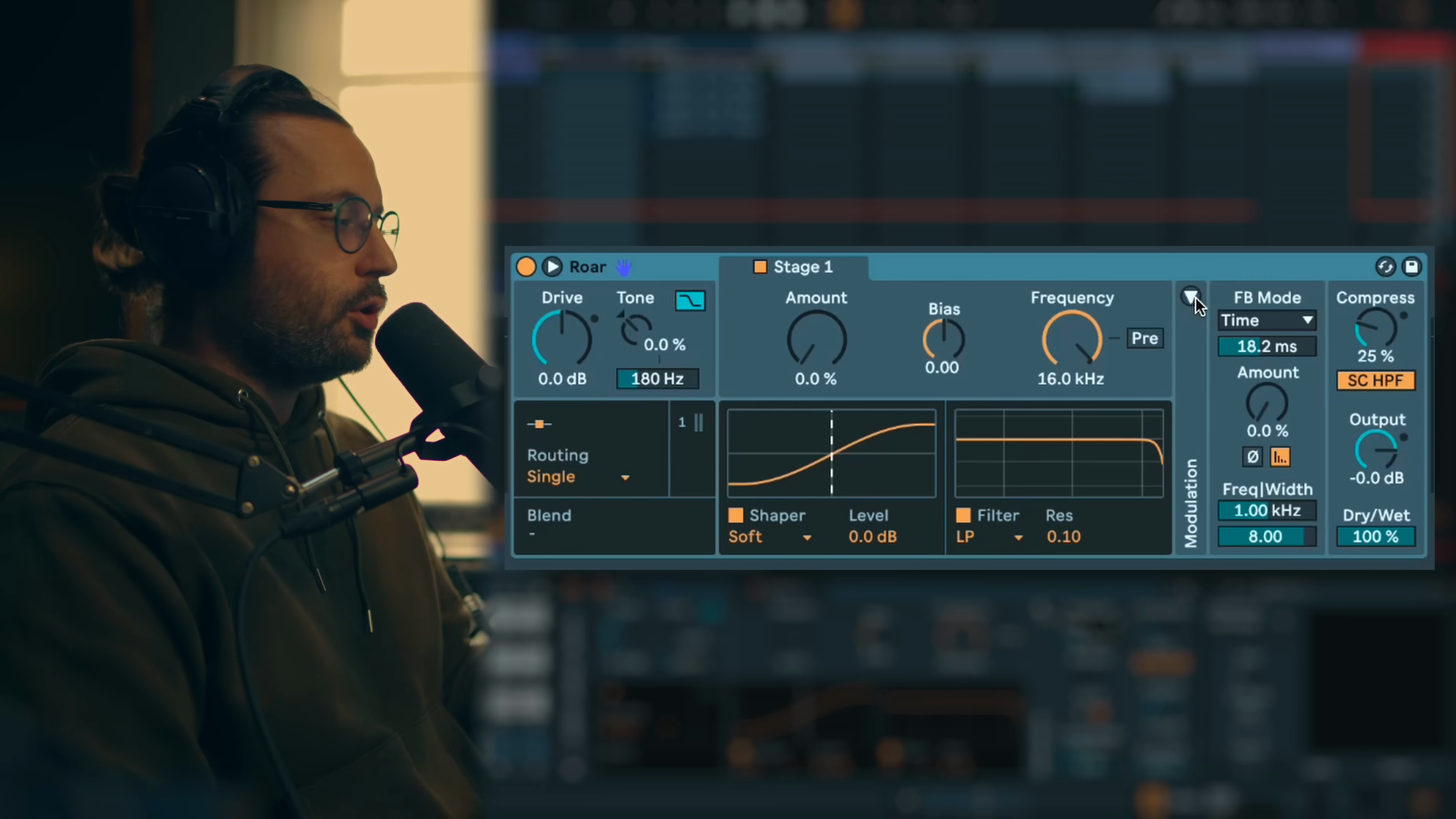
Key idea:ROAR offers five routing modes that determine signal flow and processing architecture, each suited for different creative purposes.Process / settings:Singlemode uses one stage (most common use).Serialmode chains two stages with blend control (stage 1 feeds stage 2, great for kicks).Parallelmode processes both stages independently (useful for morphing effects with LFO on blend).Multibandmode splits signal into low/mid/high bands with crossover at400 Hzand2 kHz(great for exciter use or multiband filtering).Mid/Sidemode processes center and sides separately (enhances existing stereo, doesn't create it).Feedbackmode processes direct and feedback signals independently (creates metallic, flanging effects).Result:Different routing modes unlock completely different sonic possibilities from simple saturation to complex multiband processing and feedback effects.Notes:Start withSinglemode, then exploreSerialfor added intensity,Multibandfor surgical processing. InSerialmode, even when stage 1 is muted, it still affects stage 2's sound.
03:48 → 06:58
Shaper
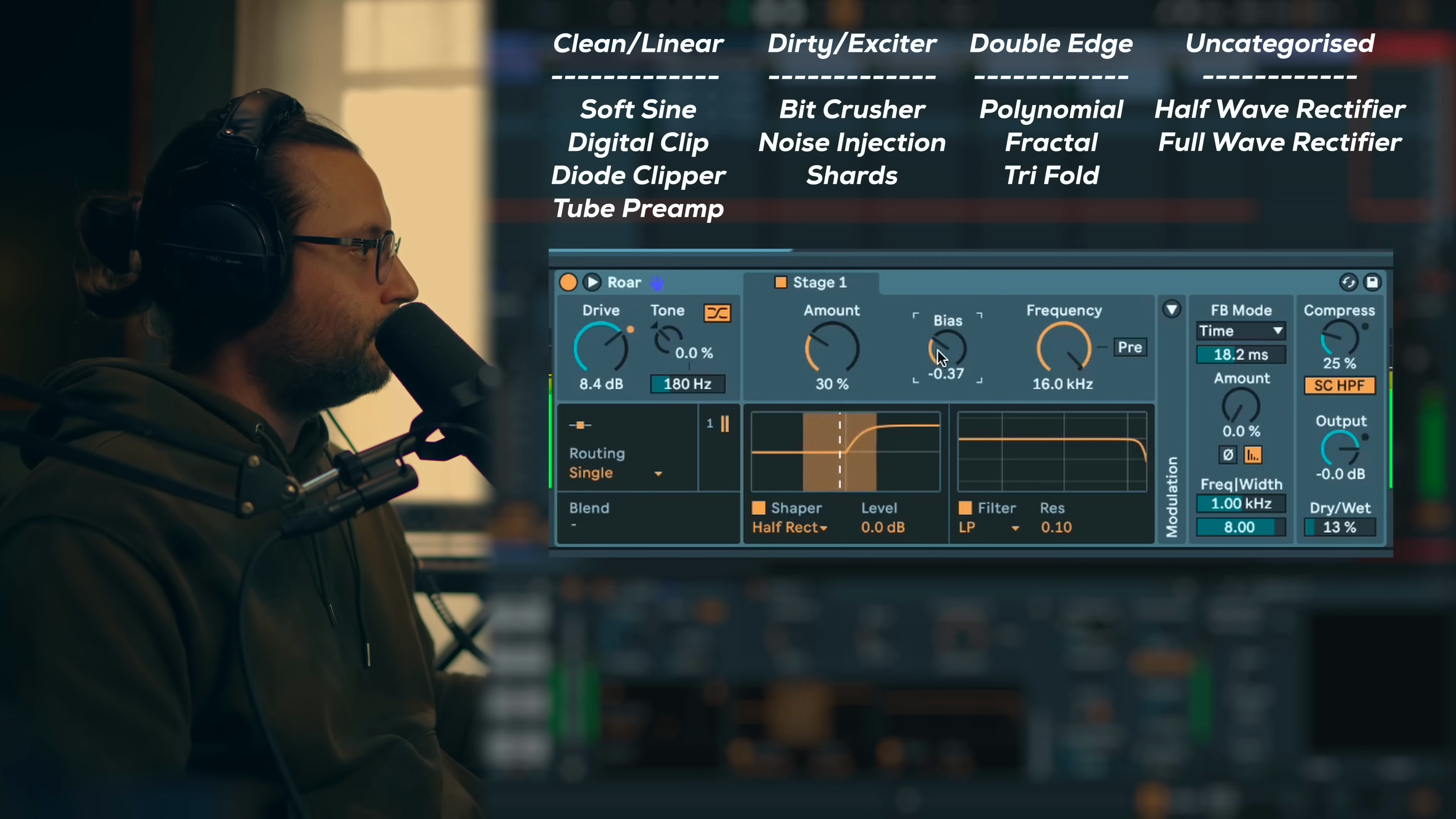
Key idea:ROAR provides 12 different wave shapers organized into categories based on their character: classic/clean, dirty/noisy, double-edged, and special.Process / settings:Classic clean shapers (Soft,Sign,Digital Clip,Diode,Tube) are linear and warm, clean until30%amount, then gradually add grit. Dirty shapers (Noise,Shard,Bit Crusher) add lo-fi, dusty artifacts, great for mid/high exciter use or serial/parallel processing. Double-edged shapers (Polynomial,Fractal,Trifold) are clean at low amounts (10-30%) but become extremely metallic and harsh beyond that, work best with simple waveforms like sine or triangle. Special shapers (Halfwave Rectifier,Fullwave Rectifier) are very unique, generate lots of harmonics, also work best with simple harmonic sources.Amountparameter controls intensity (don't overlook sweet spots under30%).Biasproduces asymmetrical clipping (use subtle values).Result:Understanding shaper categories helps quickly select the right character for your sound without testing all 12 every time.Notes:Start with amounts under30%to find sweet spots. Polynomial, Fractal, and Trifold feed well with sine/triangle waves but can create unwanted harmonics with complex sources. Shard and Noise work great in multiband mode on mid/high for excitement.
06:58 → 11:09
Filter
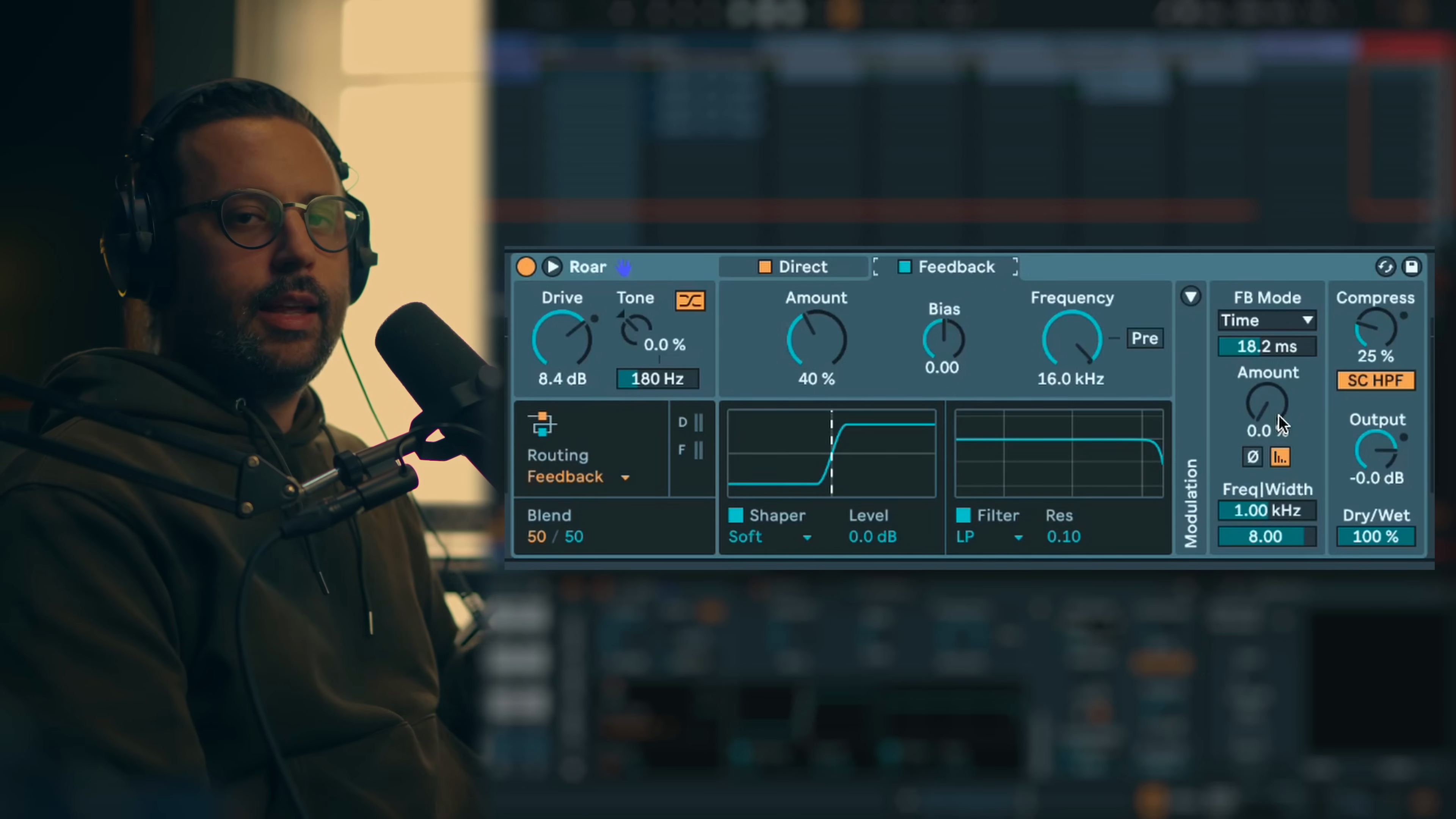
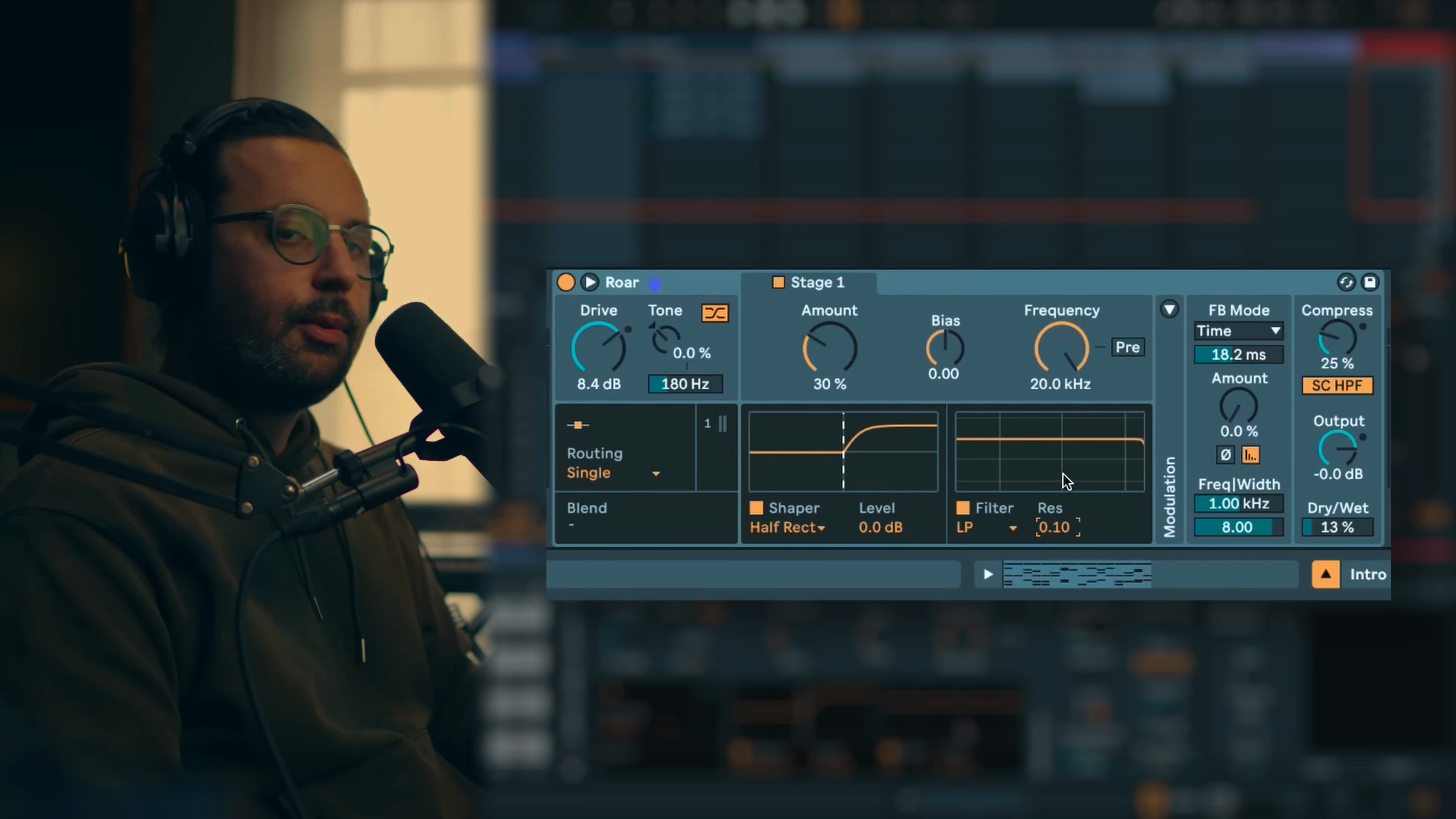
Key idea:The filter section is its own effect unit offering classic filtering plus creative options like morph, comb and resampling.Process / settings:Filter types includeLow Pass,Band Pass,High Passfor traditional frequency shaping (useful to tame distortion highs),Peakfor notch EQ or sweeping modulation effects,Morphfilter for complex movement (see dedicated tutorial video),Combfilter creates flanging effects great for hypnotic techno.Resamplingacts similar to a redux/bit reduction effect.Prebutton places filter before the shaper, which can make certain frequencies "scream" or react dramatically with the distortion.Result:Filters can be used traditionally for tone control or creatively for rhythmic movement and texture.Notes:Combining filter, feedback and pre-shaper placement creates wild experimental results. Morph filter has its own dedicated tutorial (linked in description).
11:09 → 12:13
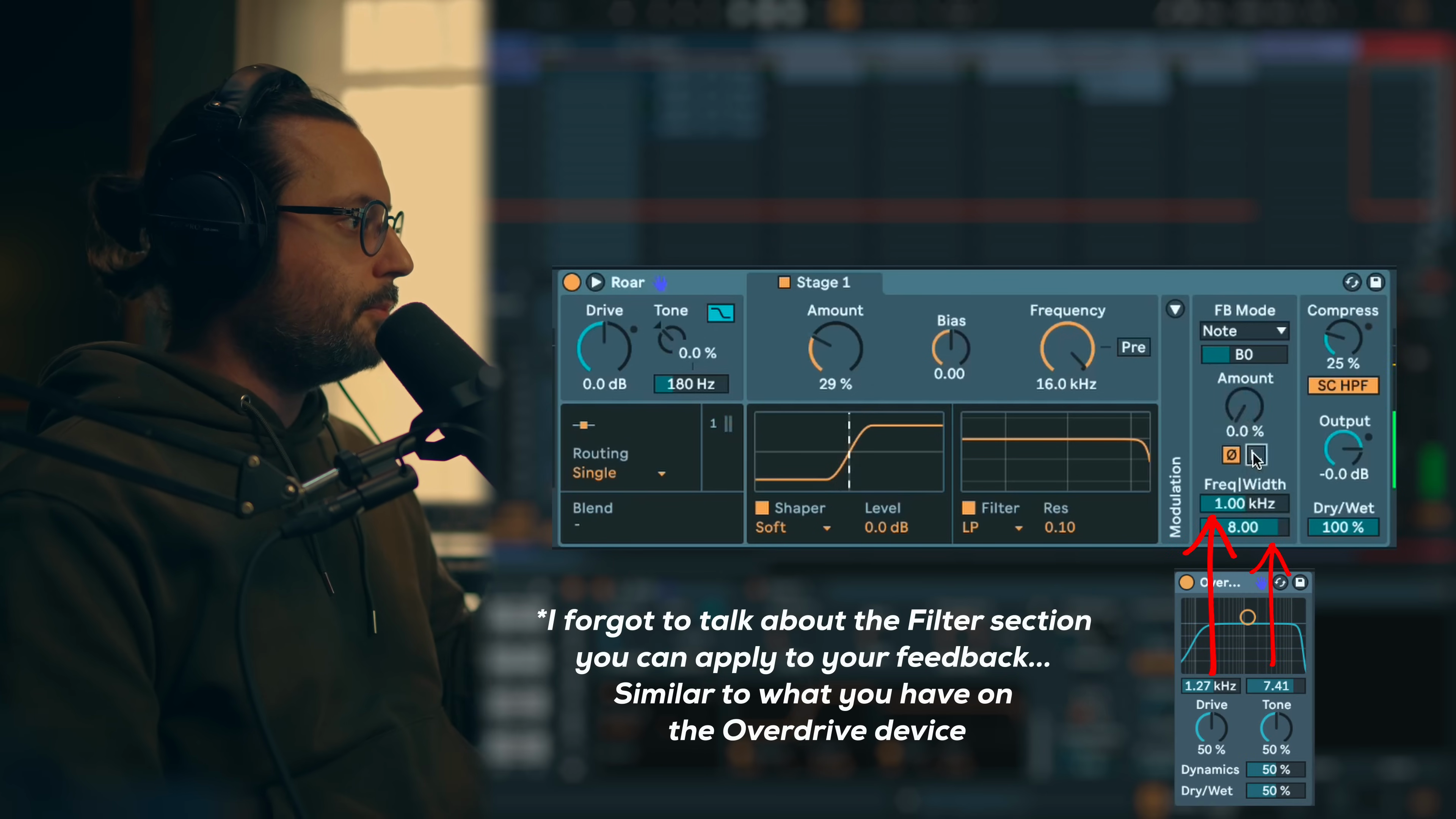
Feedback
Key idea:The feedback section doubles as a classic delay or experimental metallic effect depending on time settings.Process / settings:TimeandAmountcontrol delay behavior. Sync to BPM for rhythmic delays. Switch toTime Modewith short values (<10 ms) for metallic/flanging effects.Note Modepitches the delay time to musical notes.Invert Phaseprovides different tonal colors.Gatefades feedback when no input signal is present (disable for infinite feedback tones).Result:Feedback section creates classic delay effects or unique metallic/flanging textures depending on time range.Notes:Delays sync to BPM for rhythmic use. Short delay times (<10 ms) in Time Mode create metallic effects. Gate keeps feedback from running infinitely.
12:13 → 13:19
Output
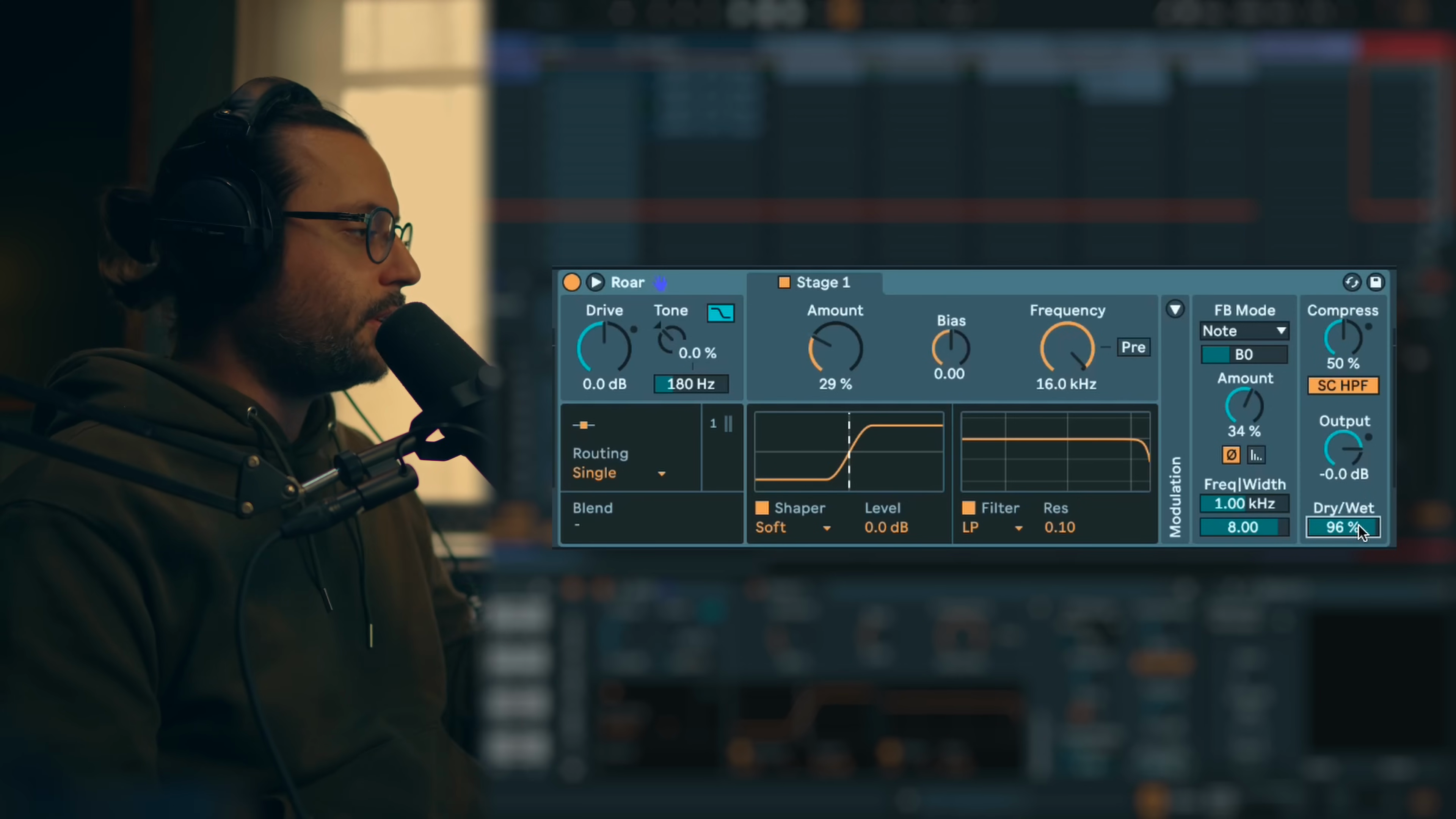
Key idea:Output section provides compression and parallel processing controls to manage the often wild dynamics from ROAR.Process / settings:Built-in compressor withThreshold,Ratio,Attack,Releasehelps tame extreme distortion peaks.Sidechain HPFremoves low frequencies from compressor detection for more global compression behavior (less low-end pumping).Outputgain for level matching.Dry/Wetblend enables parallel processing.Result:Compression tames ROAR's aggressive dynamics while dry/wet blend allows subtle parallel saturation techniques.Notes:Compression is very useful since feedback and aggressive shapers can create wild dynamic spikes. Sidechain HPF prevents low-end from dominating compression triggering.
13:19 → 13:40
Modulation
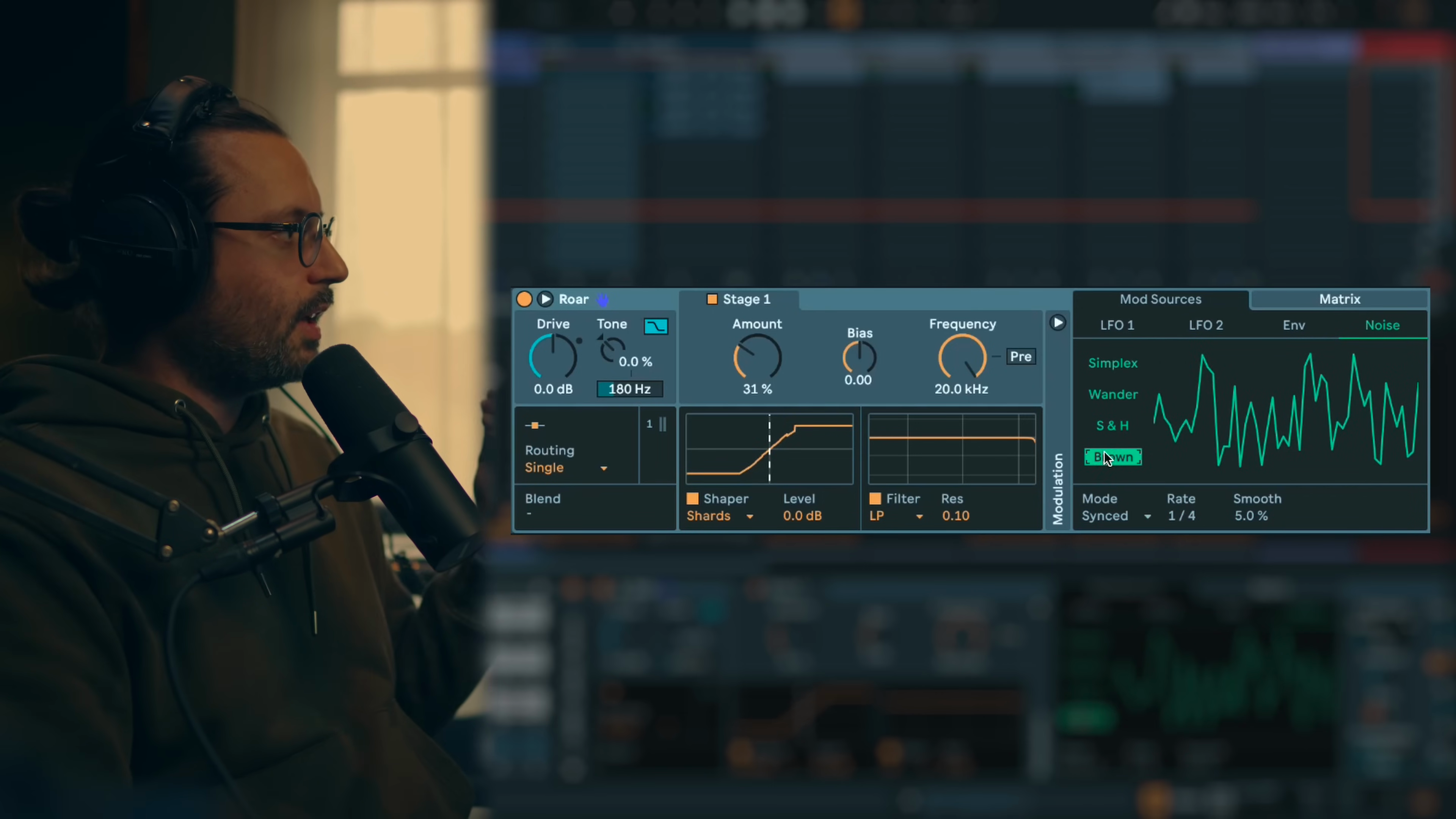
Key idea:Modulation section brings ROAR to life with LFO, envelope follower, and noise sources, though it's not mandatory for every use case.Process / settings:LFOoffers 5 basic waveforms with morphing, rate control, free or synced modes (great for morphing between parallel stages or rhythmic filter sweeps).Envelope Followerwith attack/release acts like a synthesizer envelope, perfect for filter cutoff modulation or shaper amount dynamics (emphasizes transients).Noisesources include smoothSimplex/Wander, steppedSample and Hold, andBrownfor adding subtle drift/grit.Result:Modulation transforms static processing into dynamic, evolving textures and rhythmic movement.Notes:Not every use case requires modulation. Most useful when combining feedback, filter and distortion for movement. Envelope follower is excellent for transient emphasis and synthesizer-style envelope behavior.
13:40 → 15:03
Raw Techno Kick
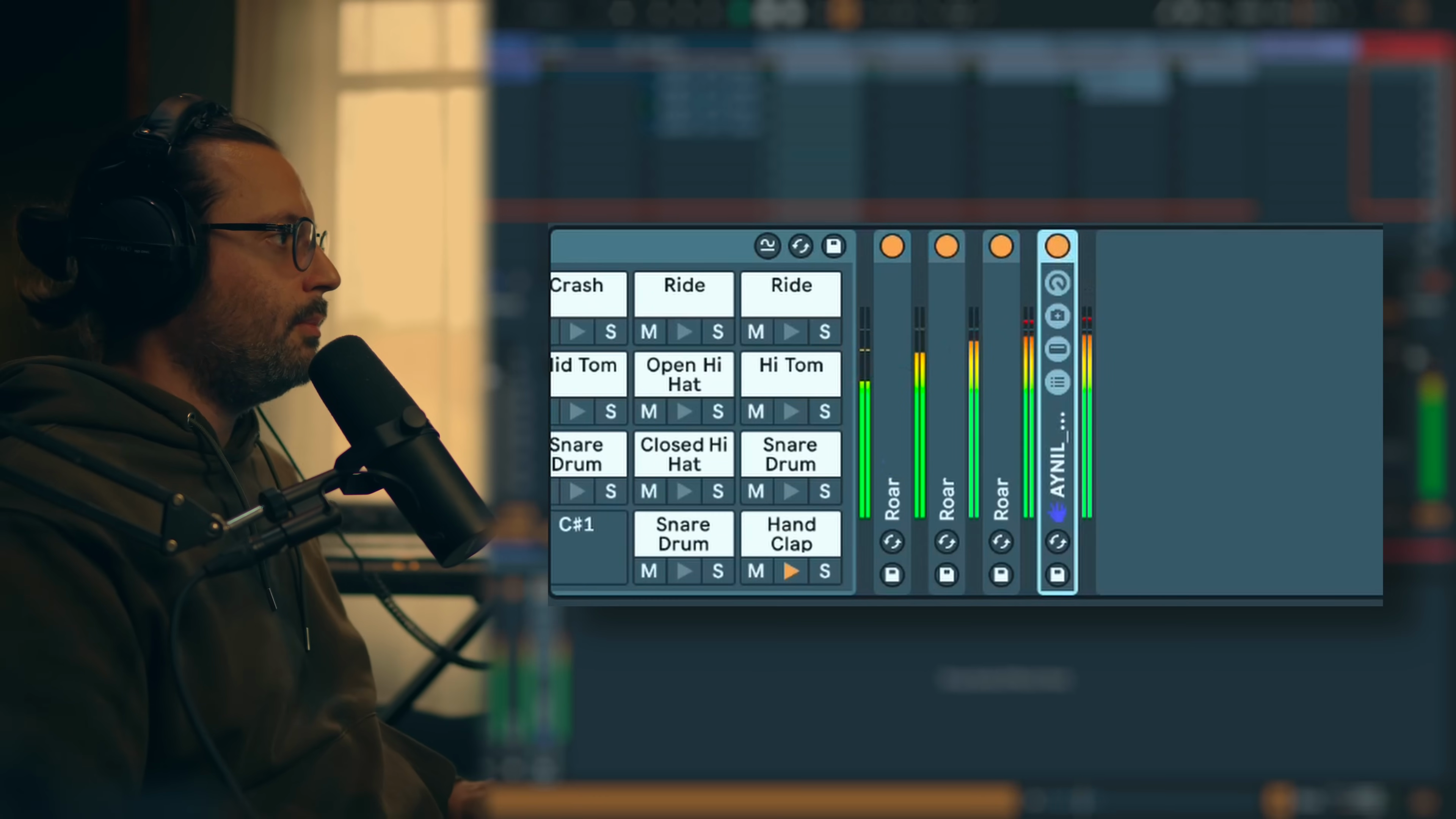
Key idea:Multiband mode enhances kick drum mid and high frequencies for additional punch and presence without affecting the low end.Process / settings:Multibandrouting with low band using minimal processing, mid band usingTubeshaper, high band usingDigitalshaper. Multiple instances of ROAR stacked in serial or parallel. UsePeakfilter as EQ to sculpt mid presence. Small amounts of distortion on mid/high bands add excitement and transient sharpness.Result:Kick drum gains mid-high punch and presence while maintaining clean low end.Notes:Multiband mode is the preferred approach for kick processing. Stacking multiple ROAR instances allows cumulative enhancements. Think of this as mixing technique meets sound design.
15:03 → 16:21
Industrial Techno Kick
Key idea:Aggressive multiband processing with noisy shapers creates industrial kick character with harsh mid-high aggression.Process / settings:Multibandmode. Low band usesPolynomialshaper. Mid band usesTrifoldshaper. High band usesNoiseshaper.Peakfilter for low-end EQ. Second ROAR instance also in multiband: low withSoft, mid withTrifold, high withFractal. Shaper selection is experimental, cycle through options to find best match for source.Result:Industrial-grade kick with harsh, noisy mid-high content and aggressive transients.Notes:No fixed rules for shaper selection, experiment with source material. What works for one kick may not work for another. Multiple ROAR instances compound the effect.
16:21 → 17:16
Hats Enhancer
Key idea:Multiband mode acts as an exciter for hi-hats, making them louder and more present in the mix.Process / settings:Multibandrouting. Low band usesFractal, mid band usesTube, high band usesPolynomialat75%amount. Small amounts of distortion add harmonic excitement to mid and high frequencies.Result:Hi-hats become louder, brighter and more upfront without harsh EQ boosts.Notes:This is the typical exciter application. Noisy/lo-fi shapers work well for adding presence to drums and percussion.
17:16 → 17:36
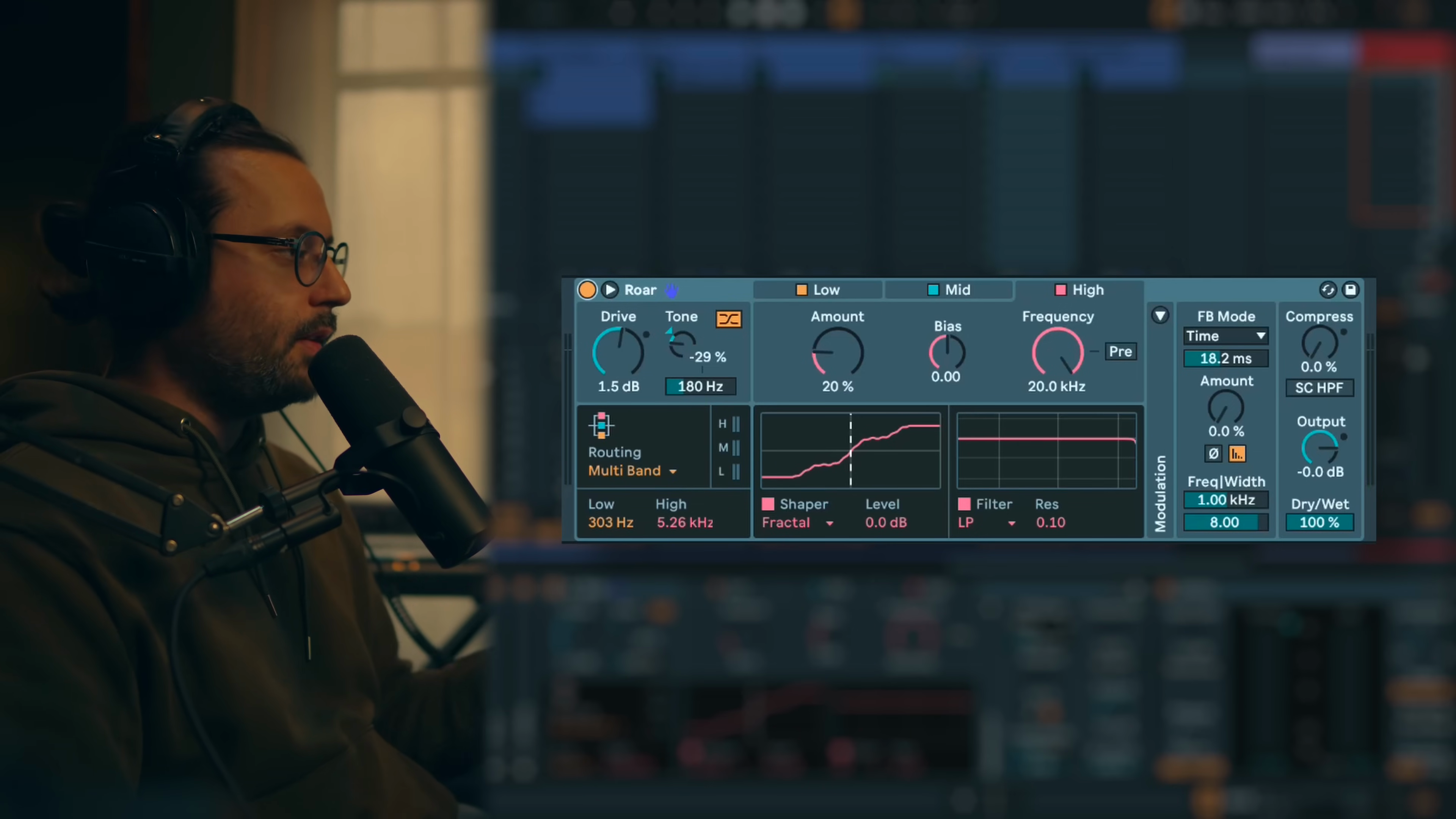
Clap Sharpener
Key idea:Multiband processing sharpens clap transients and enhances mid-high presence for more aggressive character.Process / settings:Multibandmode. Low usesFractal, mid usesTube, high usesPolynomialat75%. Focus distortion on mid and high bands to emphasize the transient attack.Result:Clap becomes sharper with enhanced transient definition and increased presence.Notes:Similar to hats processing. Multiband distortion on mid-high adds sharpness and transient emphasis.
17:36 → 17:51
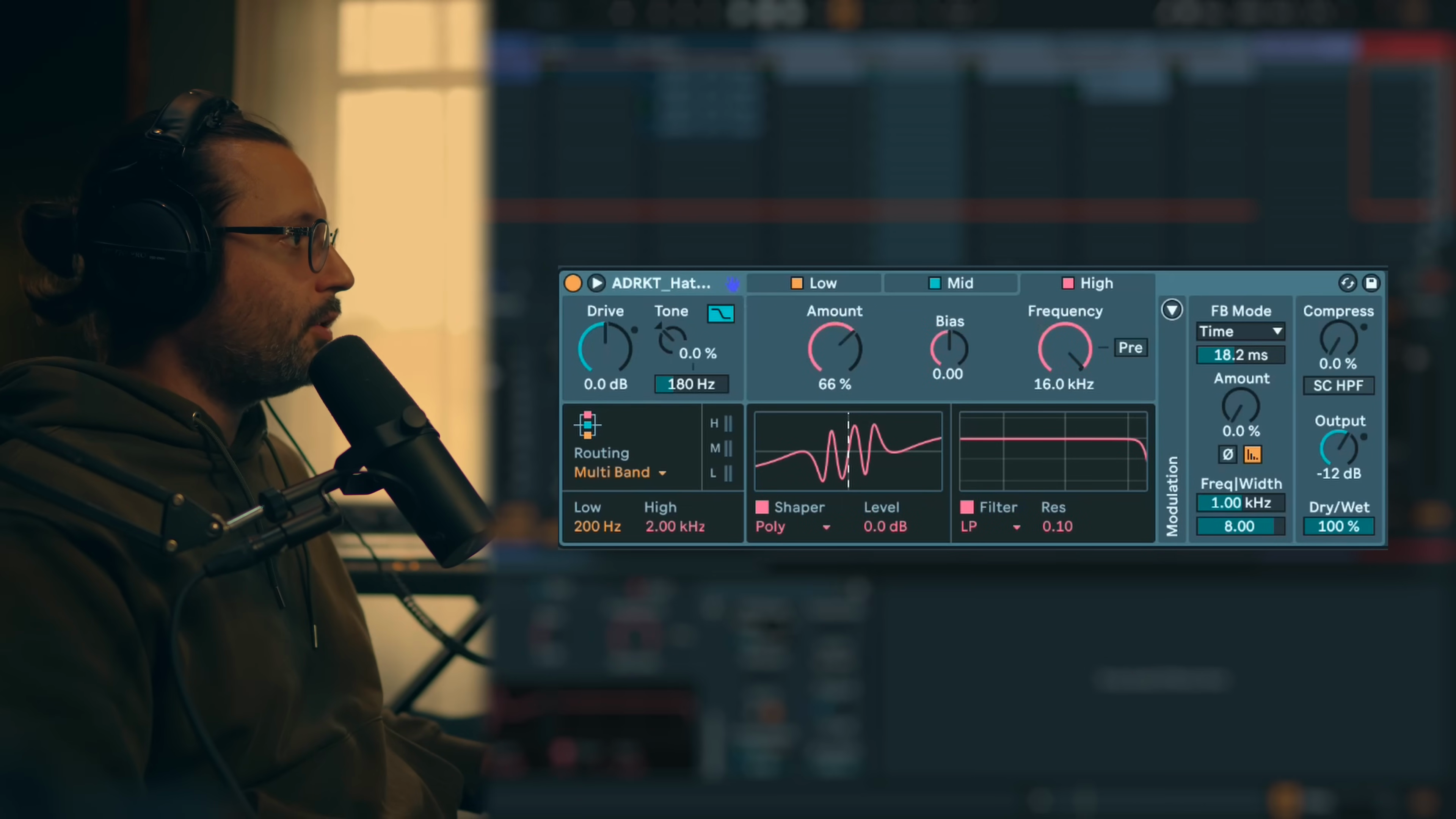
Acid Disto
Key idea:Using pre-filter placement with peak filter and envelope modulation creates sweeping acid-style distortion effects.Process / settings:Serialmode. Stage 1 usesDiodeshaper withPeakfilter inPremode (before shaper). Stage 2 usesSoftshaper.Envelope Followermodulates filter 1 frequency for sweeping movement. Pre-filter placement makes distortion react dramatically to frequency emphasis.Result:Acid sound with dynamic sweeping distortion that follows note envelopes.Notes:Pre-filter placement is key for making the shaper "scream" or react aggressively. Envelope modulation creates synthesizer-style filter envelope behavior.
17:51 → 18:20
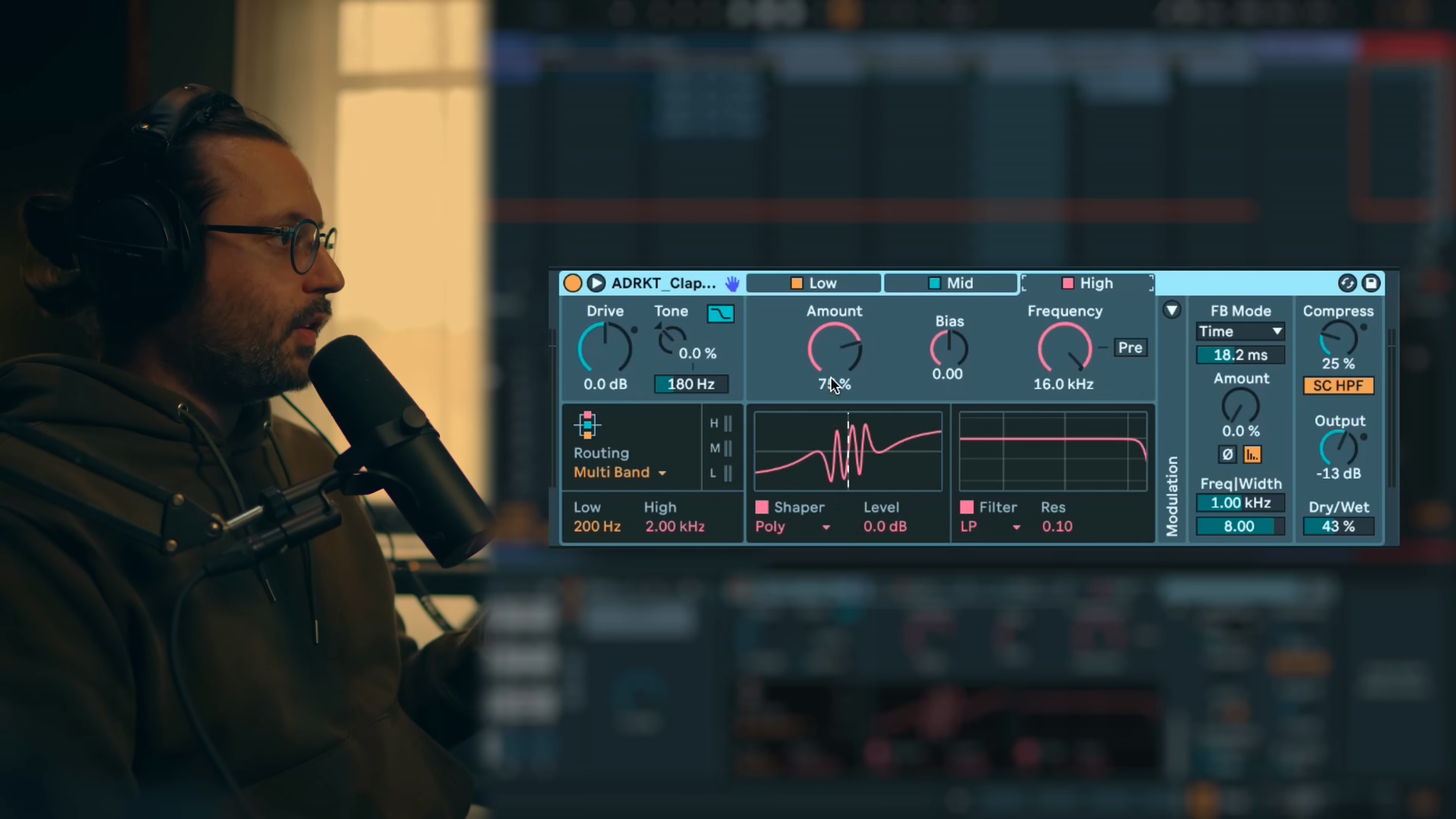
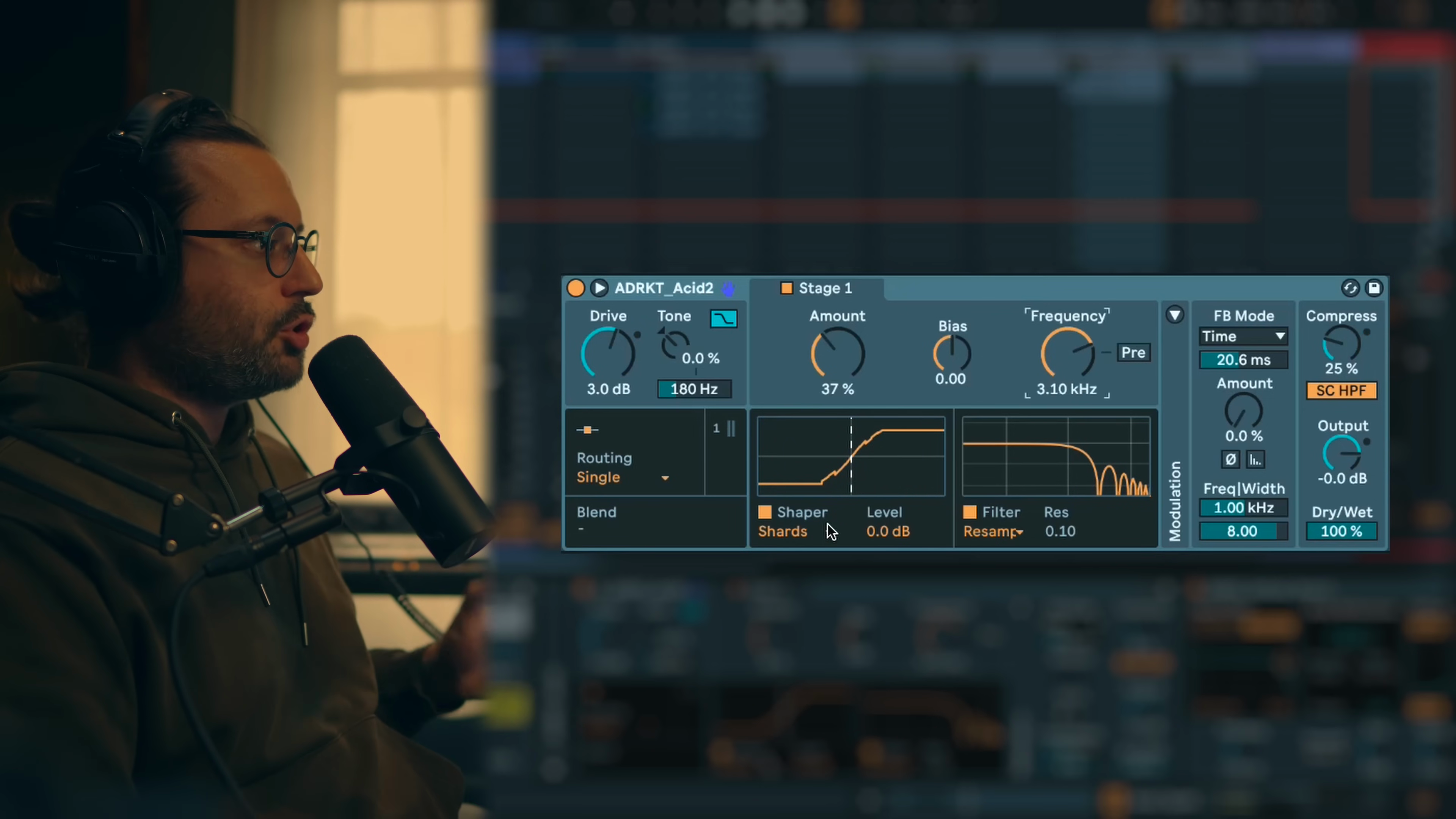
Acid Growl
Key idea:Combining resampling filter with aggressive shapers creates lo-fi, gritty acid textures with digital artifacts.Process / settings:SingleorSerialmode. UseResamplingfilter with modulated frequency.Shardshaper for lo-fi character. Adjust resampling frequency for different digital artifacts and tones.Result:Acid bass with lo-fi, crunchy, digital character and variable tone textures.Notes:Resampling filter creates similar effect to redux/bit reduction. Works well with bit crusher and shard shapers for cohesive lo-fi aesthetic.
18:20 → 18:34
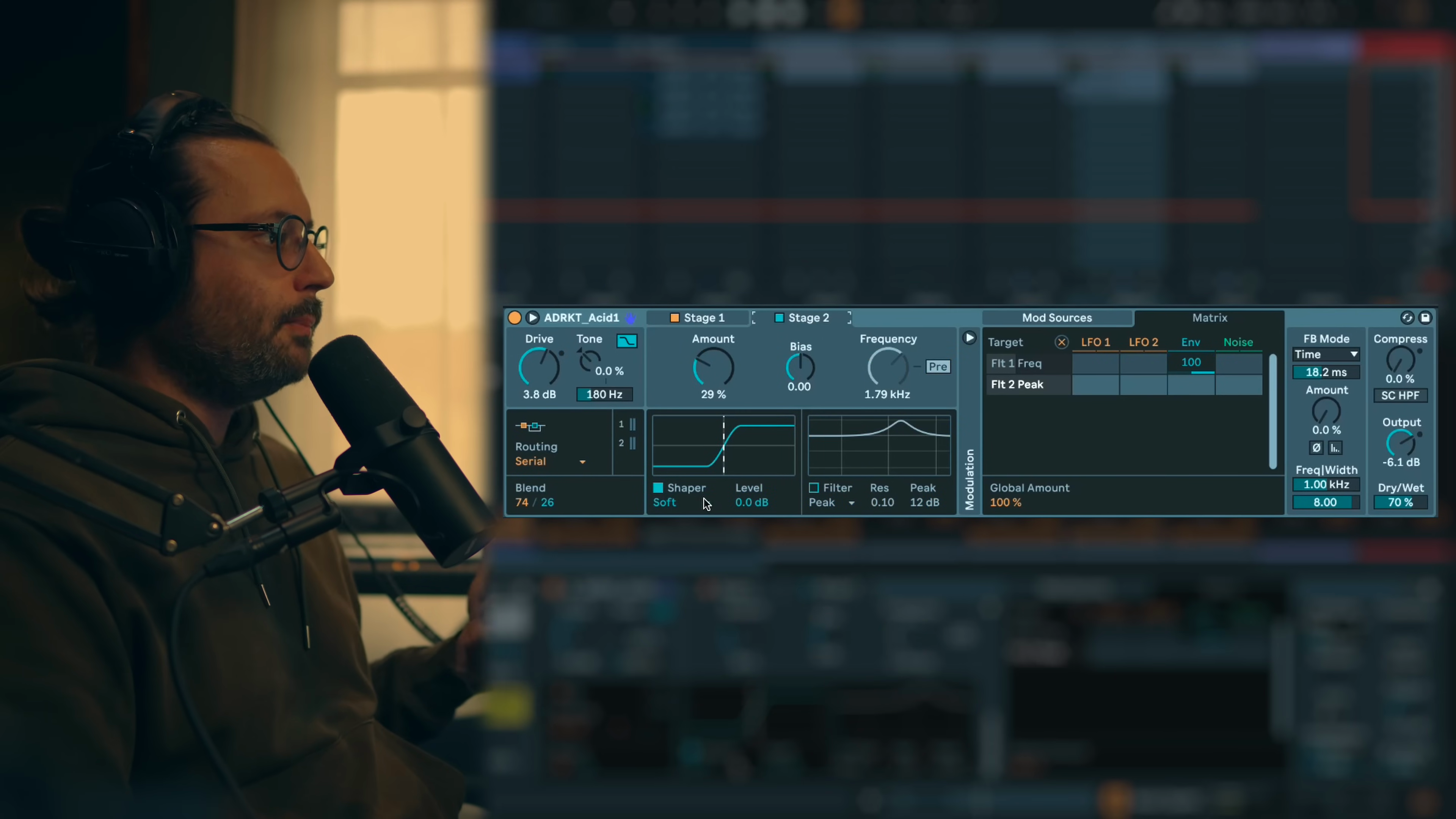
Fat Synth
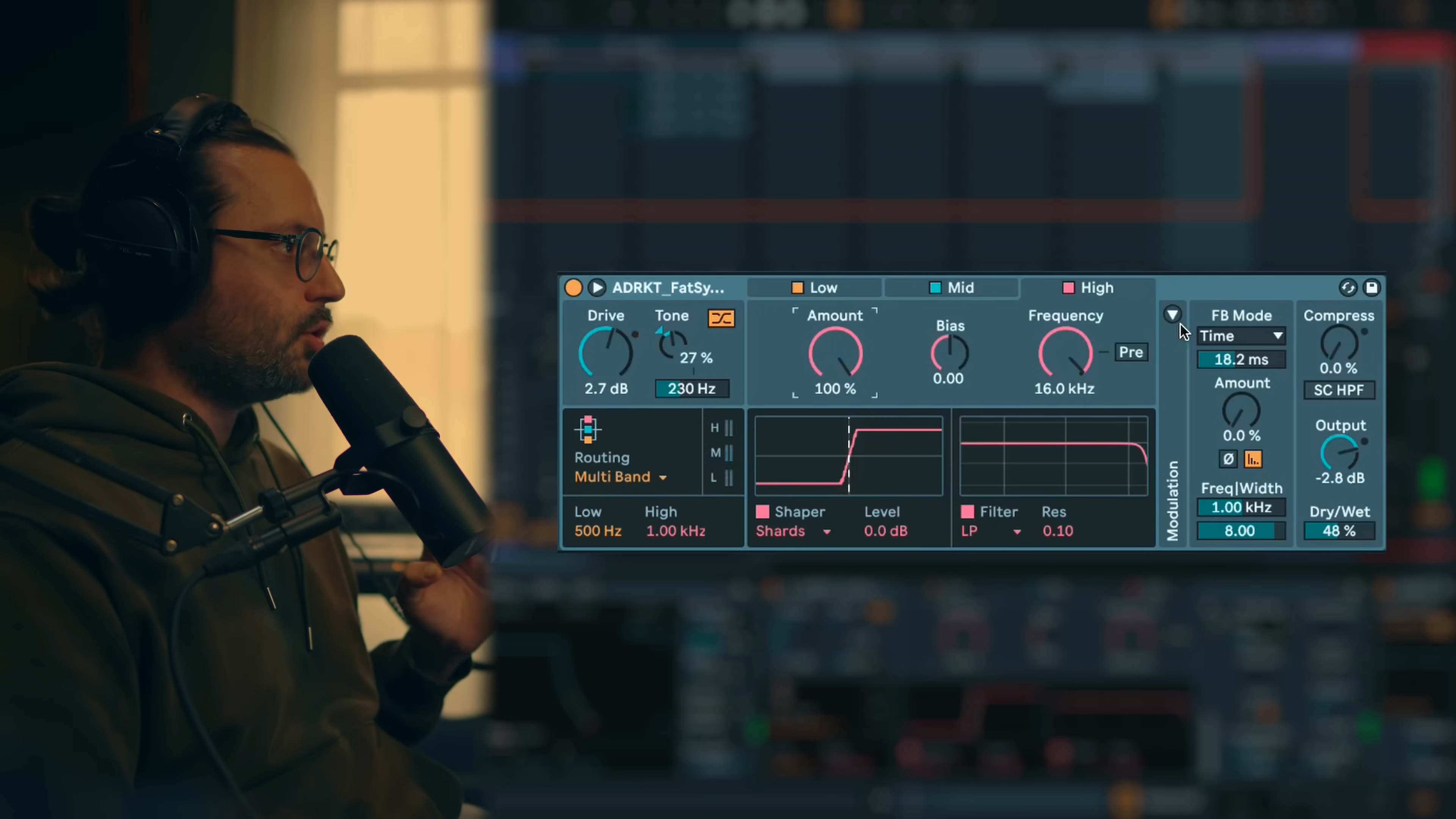
Key idea:Multiband processing adds harmonic richness and loudness to synths by driving mid and high frequencies.Process / settings:Multibandmode with crossover adjusted around500 Hzto1 kHz. Mid usesTubeshaper for harmonic saturation. High usesTubeshaper with increased amount to add transients.Peakfilter for EQ shaping.Result:Synth becomes louder, brighter, and more harmonically rich with emphasized transients.Notes:Multiband approach allows adding mid harmonic content for loudness while high band adds transient emphasis and brightness. Works as both mixing and sound design tool.
18:34 → 19:12
Hypnotic Synth
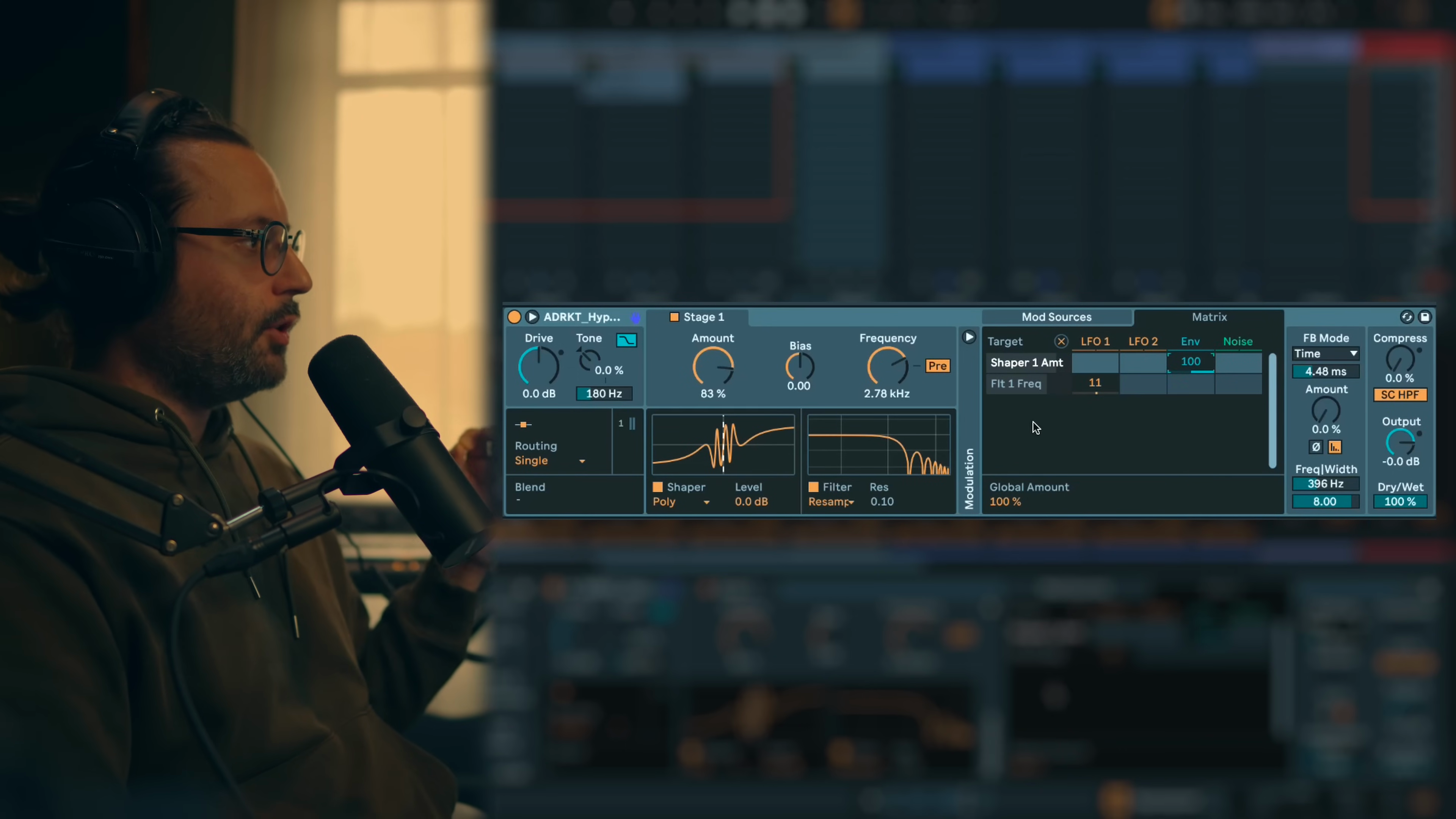
Key idea:Using polynomial shaper on simple waveforms with resampling filter and modulation creates evolving hypnotic textures.Process / settings:Start with simple waveform (sine or triangle).Singlemode.Polynomialshaper at80%amount to twist and fold the waveform.Resamplingfilter modulated by slowLFOfor digital texture variation.Envelope Followermodulates shaper amount to emphasize transients rather than constant distortion.Result:Hypnotic, evolving synth sound with complex harmonics and digital texture movement.Notes:Polynomial/Fractal/Trifold work best with simple waveforms. Envelope on amount captures transient for sharper effect. Slow LFO on resampling adds gradual texture evolution.
19:12 → 20:10
Hypnotic Bass
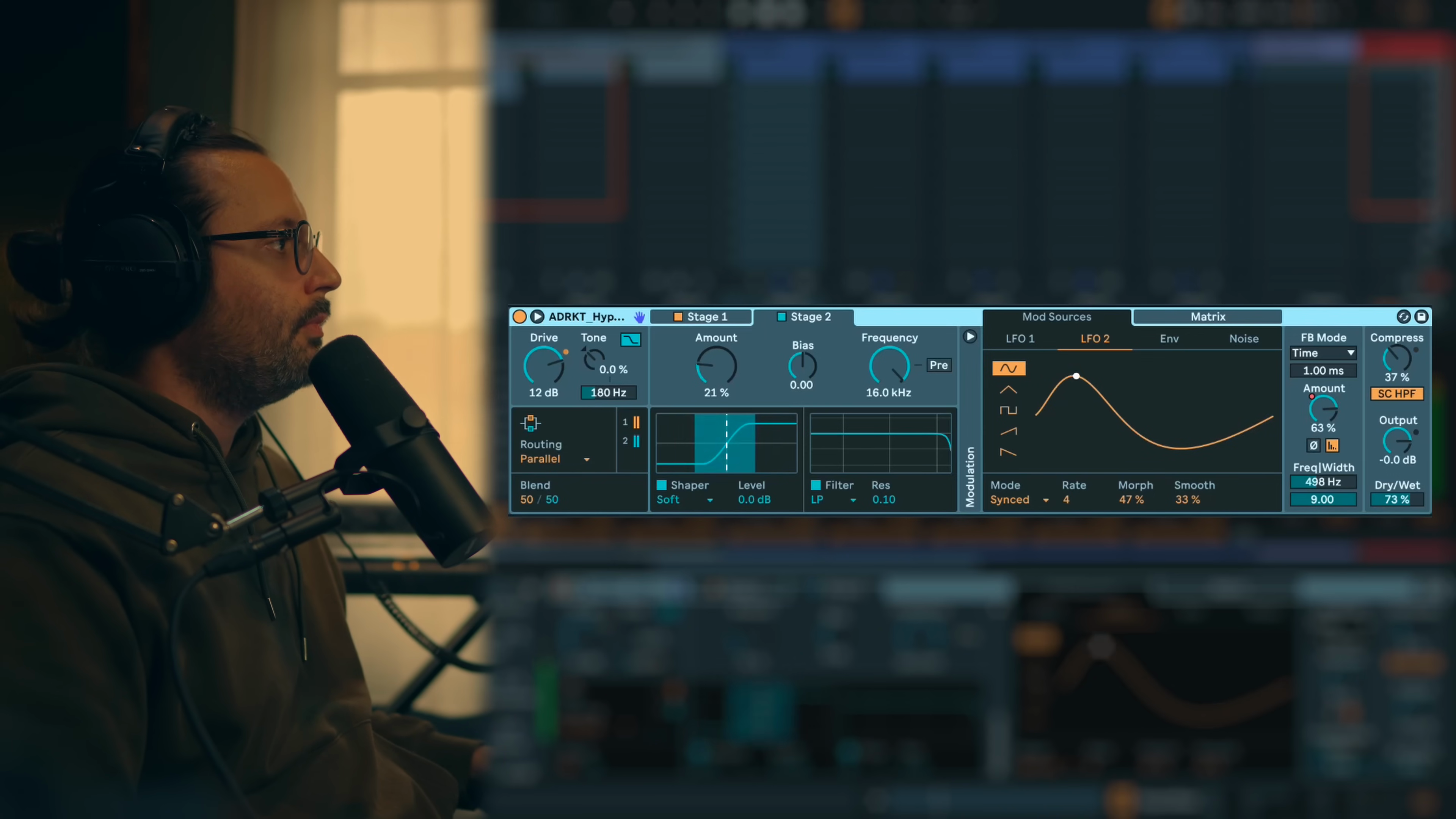
Key idea:Parallel processing with feedback, modulated filters and automation creates complex evolving bass textures.Process / settings:Parallelmode. Stage 1 usesPolynomialwith high amount, modulated by envelope. Stage 2 usesTube.Peakfilter modulated by envelope for sweep effect. Feedback section with automation on feedback amount. Noise modulation on feedback frequency, feedback amount, and shaper 1 amount for randomization. Adjust dry/wet to taste.Result:Complex, evolving hypnotic bassline with feedback delays, filter sweeps and randomized movement.Notes:Heavy use of modulation with automation for variation. Parallel mode allows blending different distortion characters. Multiple modulation sources create non-repetitive evolution.
20:10 → 21:22
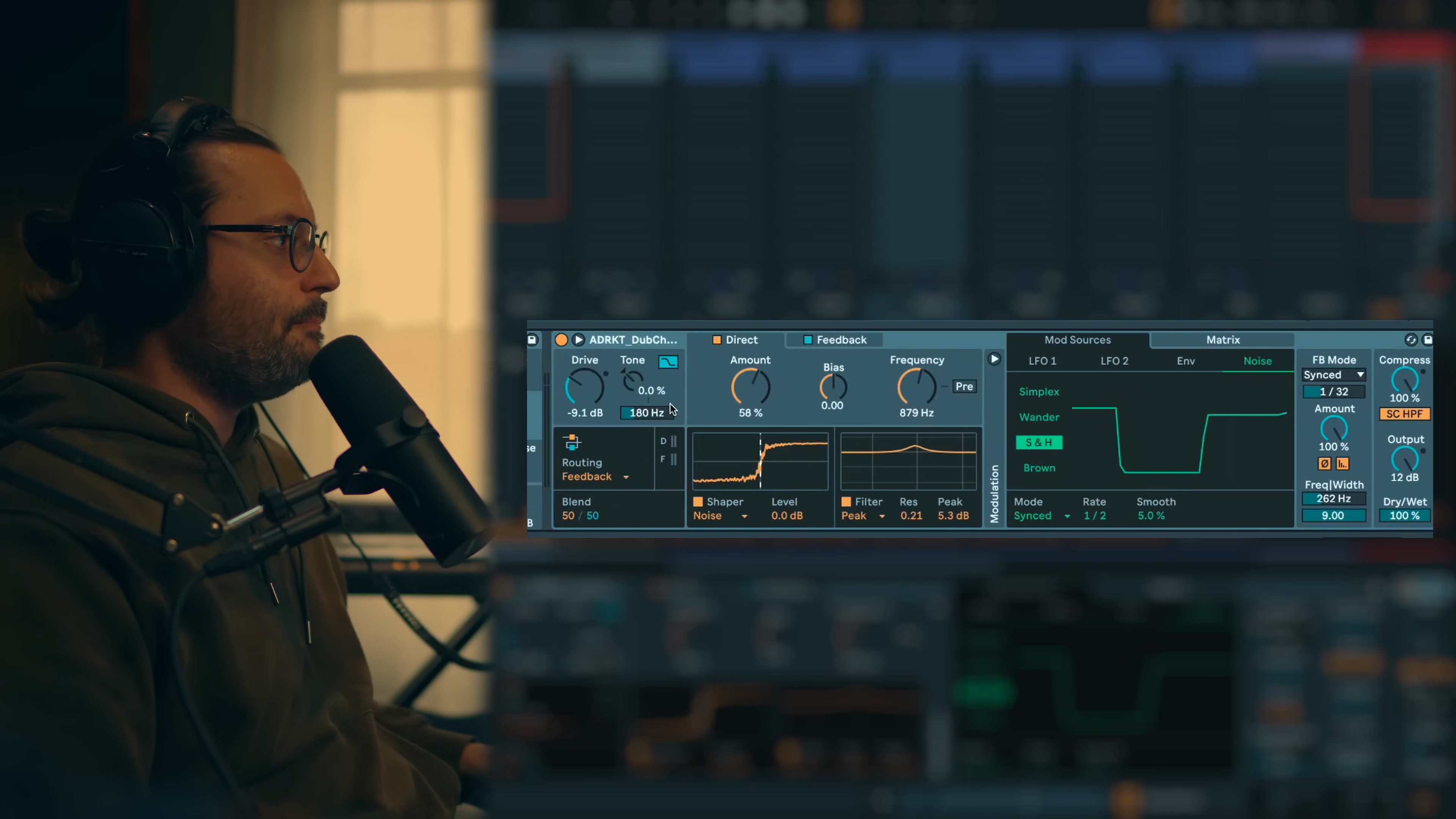
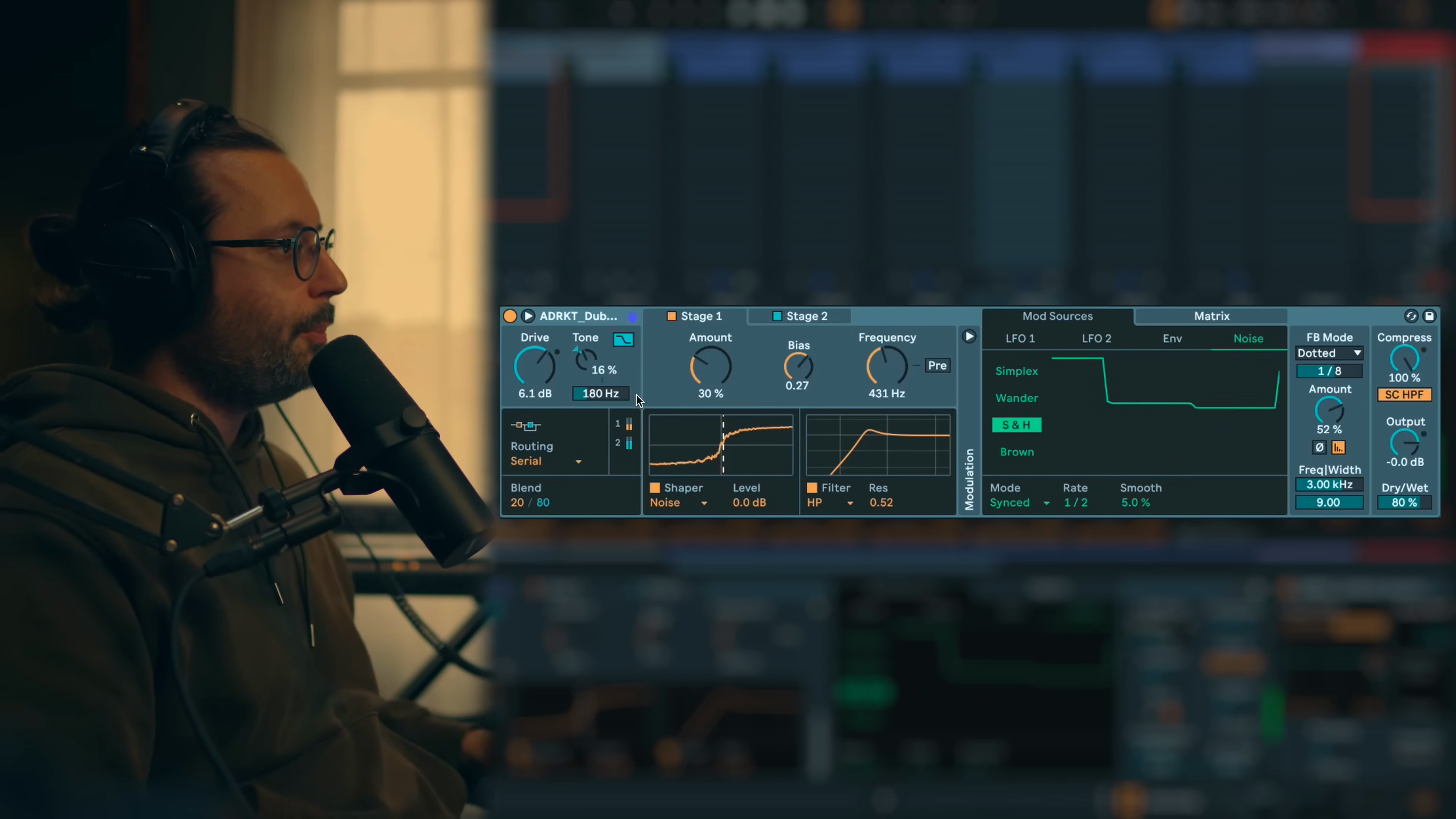
Dub Chord 1
Key idea:Feedback mode with noisy shapers and modulated filters adds grit and movement to plain dub chords through delay processing.Process / settings:Feedbackmode to process feedback signal differently from input. Direct usesNoiseshaper, feedback usesShardshaper for maximum grit.Peakfilter withLFOmodulation creates sweeping effect. Both direct and feedback filters modulated by differentLFOspeeds for complex sweeping movement. Feedback section set to synced delay with filter. Noise modulation on feedbackAmountandFrequencyfor randomization (makes feedback appear intermittently rather than constantly).Result:Plain chord transformed with gritty texture, complex filter sweeps, and intermittent rhythmic delay.Notes:Feedback mode allows independent processing of feedback signal. Multiple LFOs at different speeds create complex, non-looping filter movements. Noise modulation makes feedback unpredictable and musical.
21:22 → 23:27
Dub Chord 2
Key idea:Serial mode with high-pass and low-pass filters creates band-pass effect while modulation adds slow evolving character.Process / settings:Serialmode. Stage 1 usesHigh Passfilter. Stage 2 usesLow Passfilter (combining creates band-pass effect). Noisy shapers for dub texture. Feedback with synced delay.LFOmodulation on both filter frequencies for slow sweeping movement. Noise modulation on shaper amounts for variation.Result:Filtered dub chord with band-pass character, slow evolving sweeps, and feedback delay.Notes:Creating band-pass by chaining HPF and LPF in serial stages. Great for dub techno filtering. Slow modulation creates gradual evolution rather than obvious rhythmic movement.
23:27 → 24:30
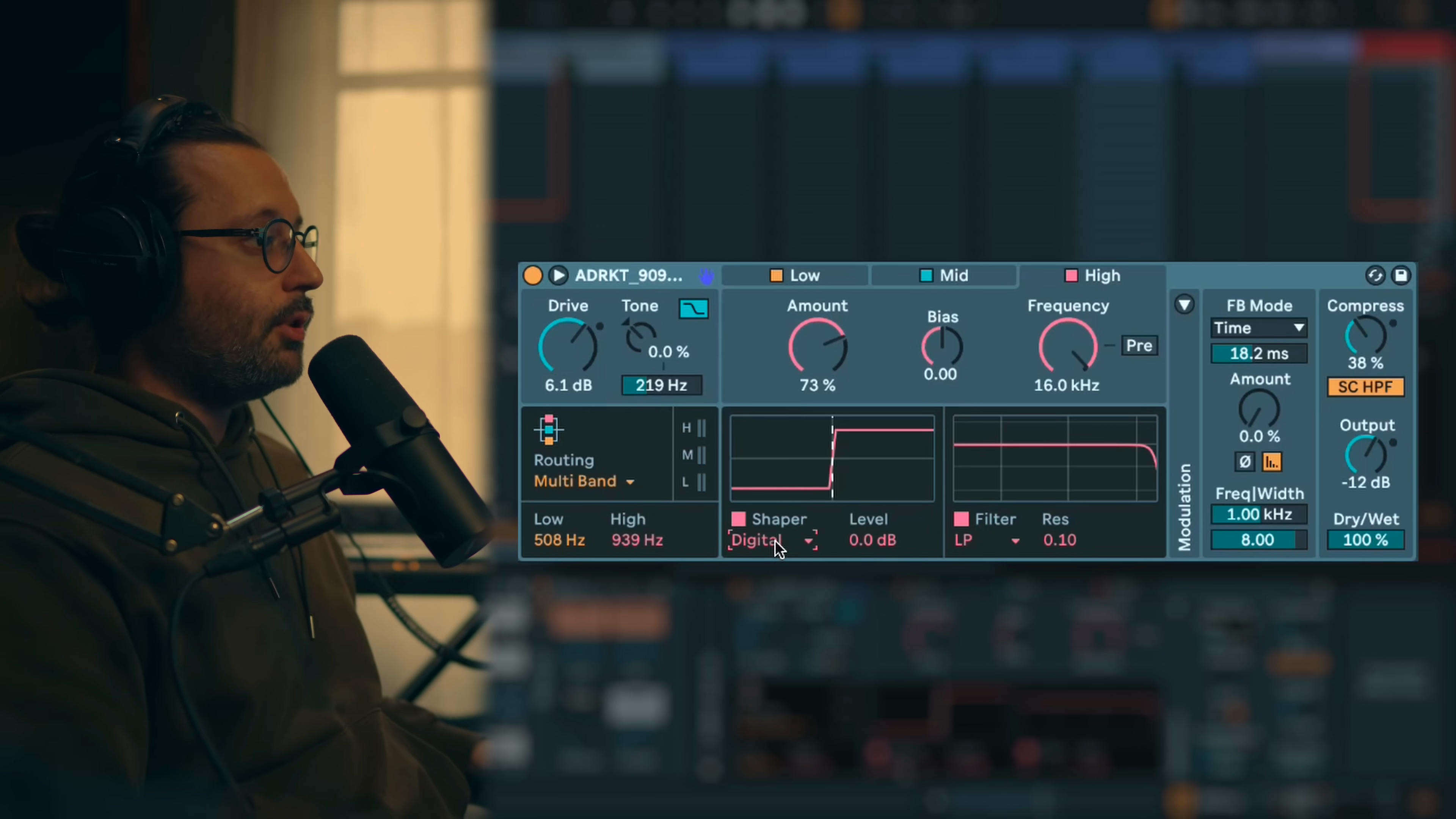
Drum Bus
Key idea:Multiband processing on drum bus adds excitement and presence while soft clipping tightens low end.Process / settings:Multibandmode. Low usesSoftclipping for tight, controlled low end. Mid usesShardshaper for noisy, lo-fi excitement (typical exciter use). High band processing for top-end enhancement. Crossover at99 Hzand (non précisé).Result:Drum mix becomes tighter in low end with enhanced mid-high presence and excitement.Notes:Multiband on drum bus is mixing application. Shard/Noise shapers excel at mid-high exciter duties. Useful when mix lacks air or top end presence.
24:30 → 25:15
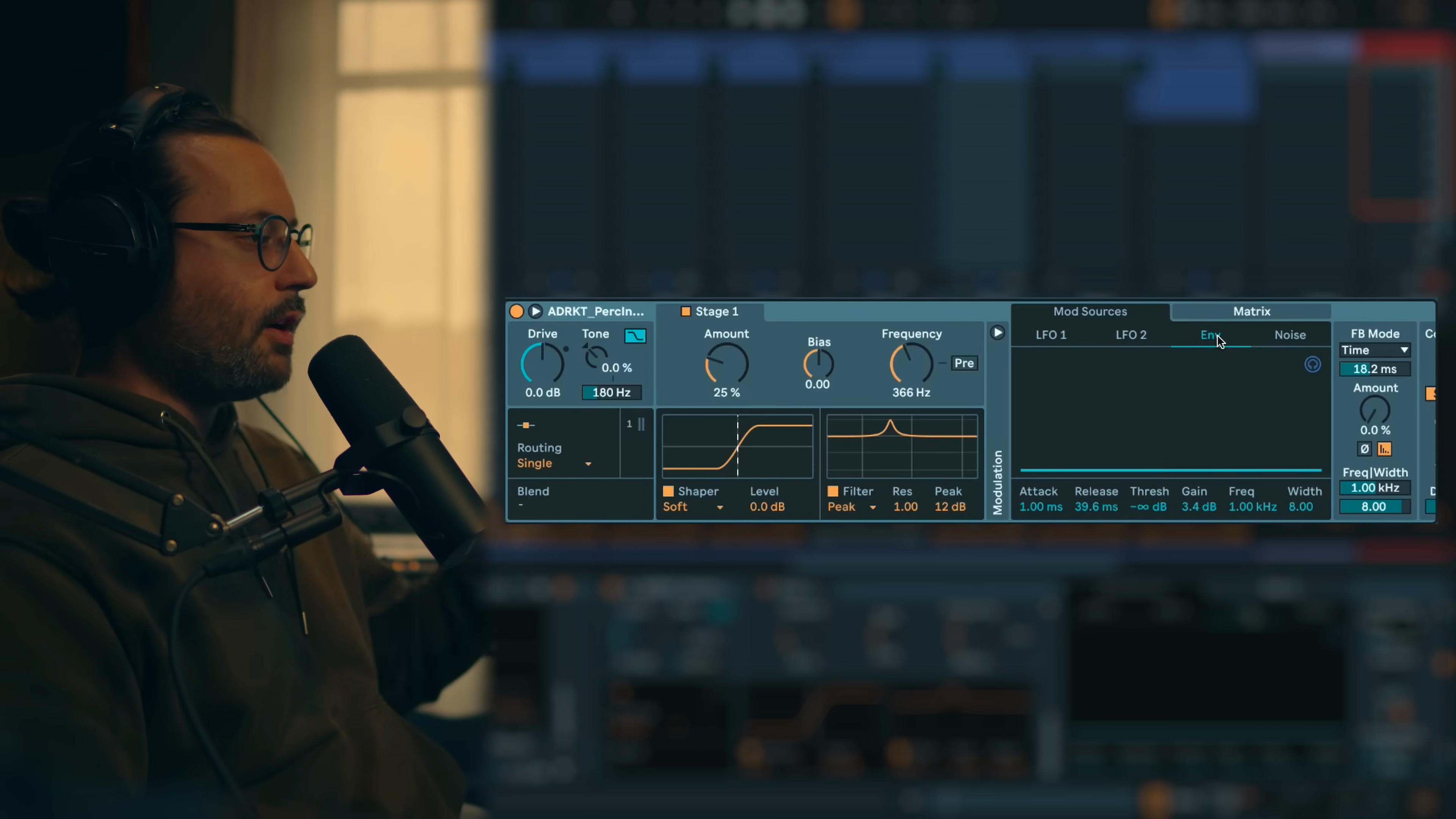
Industrial Perc 1
Key idea:Aggressive peak filter with envelope modulation and serial processing creates resonant, evolving percussion tones.Process / settings:Serialmode. Stage 1 usesPeakfilter with very high resonance and gain, modulated byEnvelope Followeron frequency (creates screaming, resonant sweep).Soft Clippingshaper. Stage 2 usesFractalfor additional stereo width and harmonics.Combfilter for additional movement. Envelope modulates filter frequency and shaper amounts.Result:Percussion with screaming, resonant character and dramatic tonal evolution per hit.Notes:High resonance peak filter before shaper creates extreme resonant behavior. Envelope follower acts like synthesizer ADSR for filter and shaper modulation.
25:15 → 25:43
Industrial Perc 2
Key idea:Feedback in note mode with envelope modulation creates pitched metallic delay tails on percussion.Process / settings:Serialmode.Soft Clippingshaper.Combfilter modulated by envelope. Feedback section inNote Modeto pitch delay time musically.Envelope Followermodulates output level (opens only when signal is present to prevent infinite feedback tail). Multiple envelope modulations on filter frequency, shaper amount, and output.Result:Percussion with complex, pitched metallic feedback that follows the transient envelope.Notes:Envelope on output level acts as gate to control feedback duration. Note mode feedback creates musical pitch instead of raw delay time. Comb filter adds flanging texture.
25:43 → 27:03
Metallic Perc
Key idea:Serial mode with tube and noise shapers plus envelope modulation creates bright, noisy metallic percussion.Process / settings:Serialmode. Stage 1 usesTubeshaper. Stage 2 usesNoiseshaper. Feedback for metallic character.Envelope Followermodulates output, shaper 1 amount, shaper 1 bias, shaper 2 amount, feedback amount, and feedback frequency. Feedback in time mode or note mode for pitch envelope effect.Result:Metallic percussion with noisy character and pitch/feedback evolution.Notes:Heavy envelope modulation creates synthesizer-like behavior. Feedback frequency modulation by envelope creates pitch envelope effect on metallic tail.
27:03 → 27:35

Stab
Key idea:Feedback creates metallic tail on stabs with envelope-controlled filter for classic synth envelope behavior.Process / settings:Feedback mode with metallic settings.Envelope Followermodulates filter frequency (like synthesizer filter cutoff envelope) and shaper amount.Result:Stab sound with metallic feedback tail and envelope-shaped filter sweep.Notes:Envelope follower provides classic synthesizer ADSR-style modulation. This preset works specifically well on stabs but less so on percussion.
27:35 → 28:01
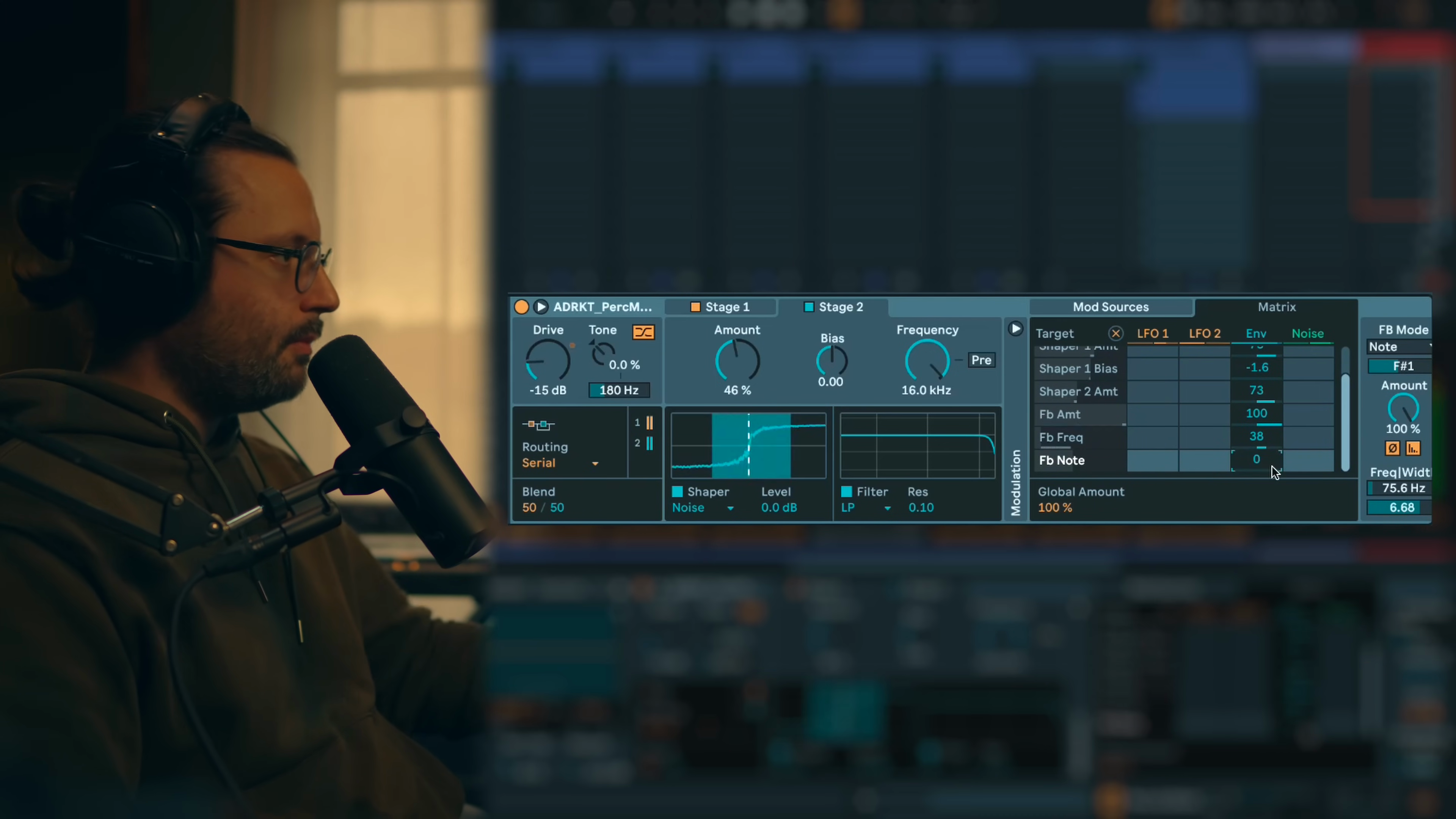
F1 sound
Key idea:Extreme feedback and filter settings create Formula 1 race car-like sounds from basic sources.Process / settings:(non précisé)Result:Emulation of F1 race car engine sounds.Notes:Creative experimental use of ROAR beyond typical musical applications.
28:01